

Product overview
CultureAI is built to help teams understand performance, read the market more clearly, and turn insight into action. The product combines analysis, exploration, and creation so you can move from question to decision without switching contexts.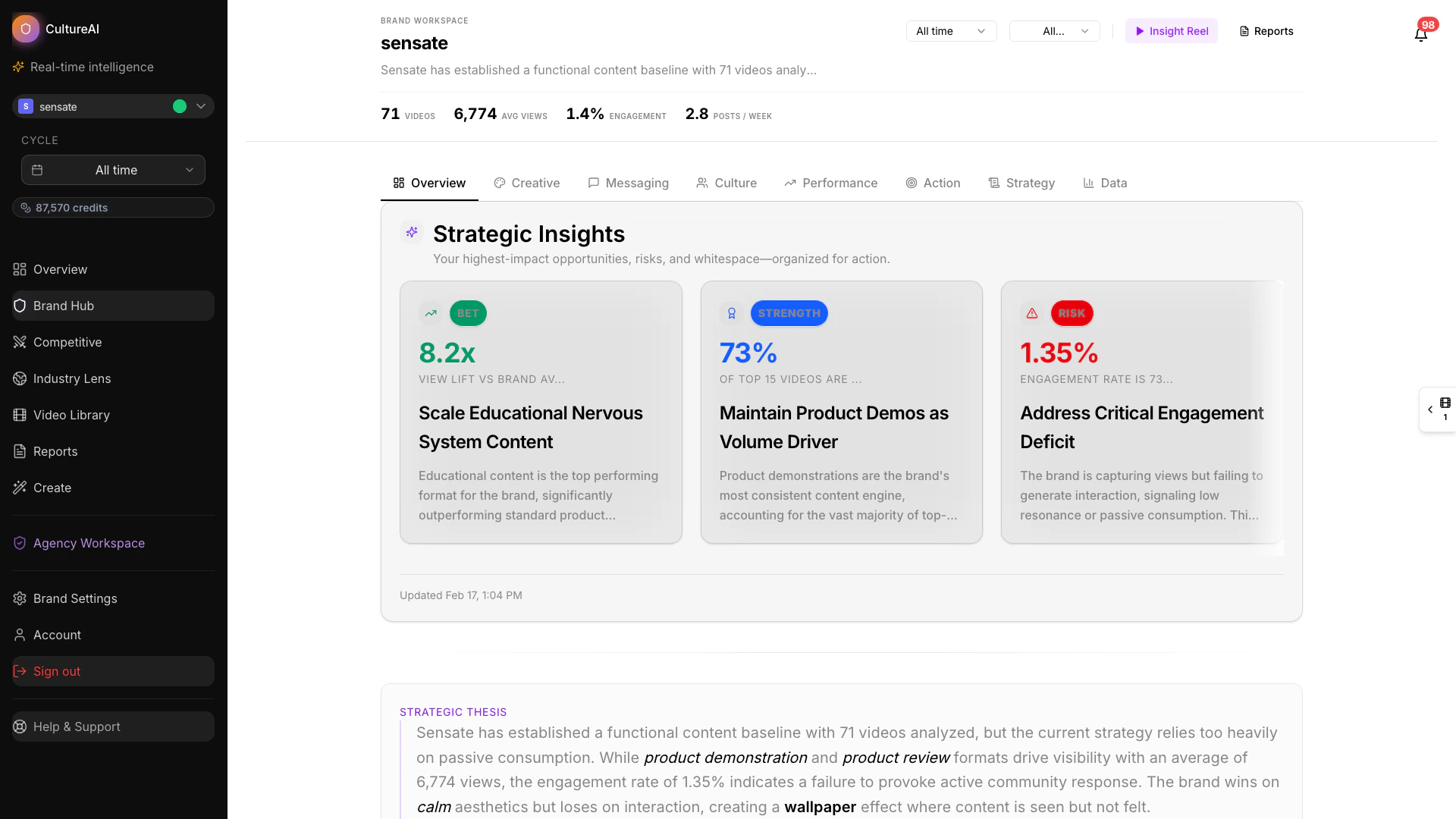
Wide product view
The main parts of the product
Overview dashboard
See brand, competitor, and industry context in one view.
Brand Hub
Track your brand’s performance, messaging, and action priorities.
Industry Hub
Understand market-wide movement and benchmarks.
Copilot
Ask questions in plain language and explore findings faster.
Content Studio
Turn opportunities and insights into new creative directions.
Competitor Hub
Benchmark your brand against the competitors that matter most.
Cultural Listening
Understand broader themes and movement across the category.
Leaderboard
Compare ranking and engagement efficiency at a glance.
Creator Intel
Evaluate creators and audience signals with richer context.
Opportunities
Prioritize whitespace and strategic actions.
How teams typically use CultureAI
Most teams follow a simple flow:- Review the market, the brand, or the competitor landscape.
- Identify the patterns that matter most.
- Use reports or Copilot to sharpen the opportunity.
- Turn the findings into action through planning or creation.