

Copilot user guide
Copilot is the conversational layer of CultureAI. It helps users ask better questions, explore findings more quickly, and follow up on what they see elsewhere in the product.See it in action
Start wide, then follow the Copilot question flow
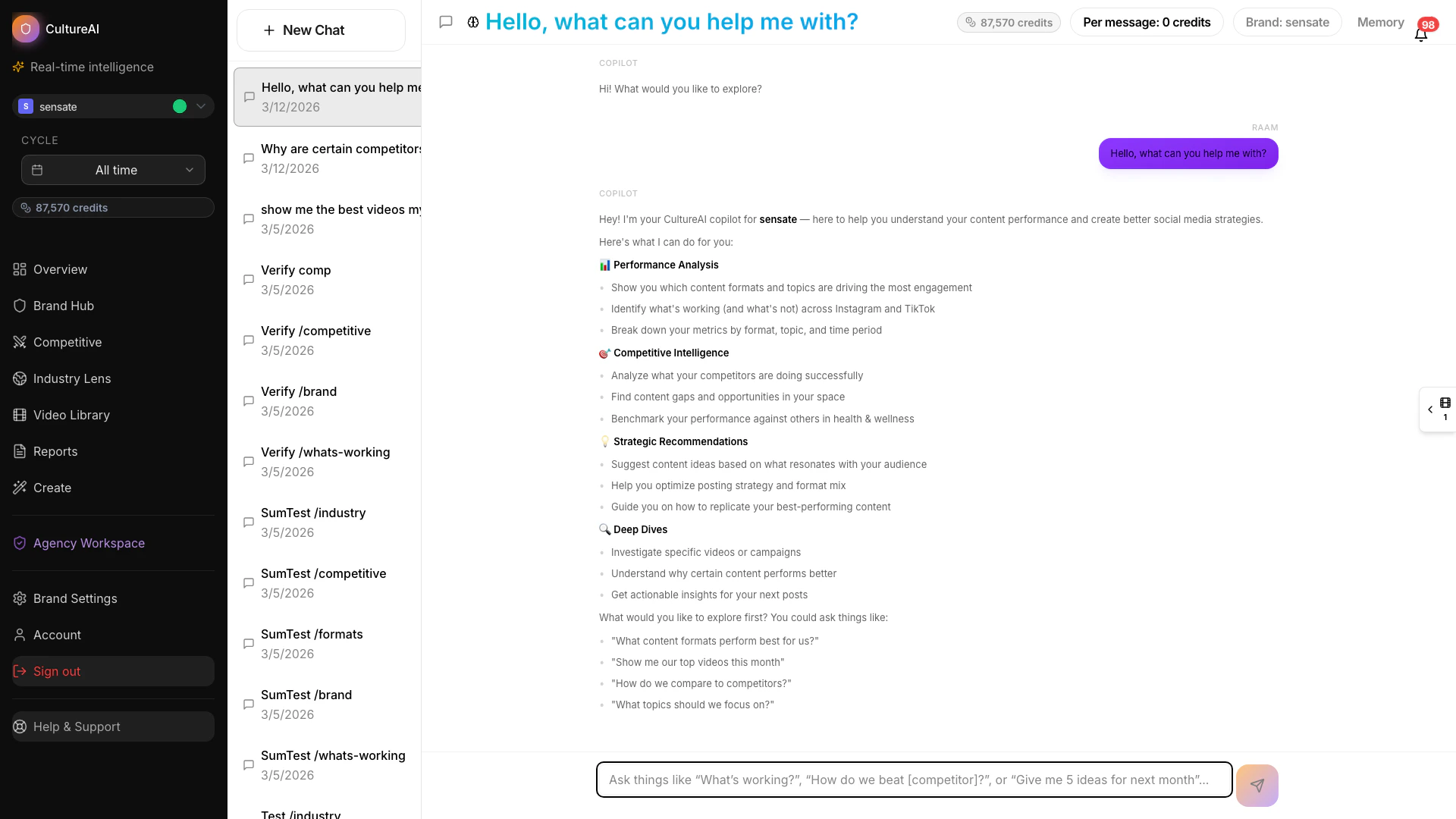
Copilot interface overview
What Copilot is good for
Copilot is especially useful when you want to:- understand a result without clicking through multiple views
- ask follow-up questions about a report or competitor finding
- move from a broad question to a more specific next step
- explore the meaning of a trend before acting on it
How to use it well
The best Copilot prompts are clear and goal-oriented. Good examples include:- Which themes appear most often in our strongest content?
- Where are competitors pulling ahead?
- What should we look at next in this category?
- Which findings are most useful for a campaign brief?
- What are the three most important patterns in our content right now?
- What should we focus on going into our next planning cycle?
- Which competitor moves should we pay attention to most?
What to expect
Copilot works best as a guide, not a replacement for judgment. Use it to:- summarize what you are seeing
- generate sharper follow-up questions
- connect related findings across the platform
- move faster between exploration and decision-making
A strong workflow
Many teams use Copilot in combination with other parts of the product:- Start with a report or feature view.
- Use Copilot to ask clarifying questions.
- Follow the most relevant thread into strategy, benchmarking, or creative action.
Related pages
Getting started
Learn the best overall path for new users.
Competitor Hub
Use Copilot to deepen competitor analysis.
Content Studio
Turn follow-up insights into new creative concepts.
How reports work
Understand the outputs Copilot can help you explore.