> ## Documentation Index
> Fetch the complete documentation index at: https://docs.cultureai.dev/llms.txt
> Use this file to discover all available pages before exploring further.
# Getting started
> A practical guide for new CultureAI users — marketing leaders, social teams, and agencies
# Getting started
This guide is for anyone new to CultureAI — CMOs, heads of marketing, social and content leads, or agency teams who want a clear first path through the platform.
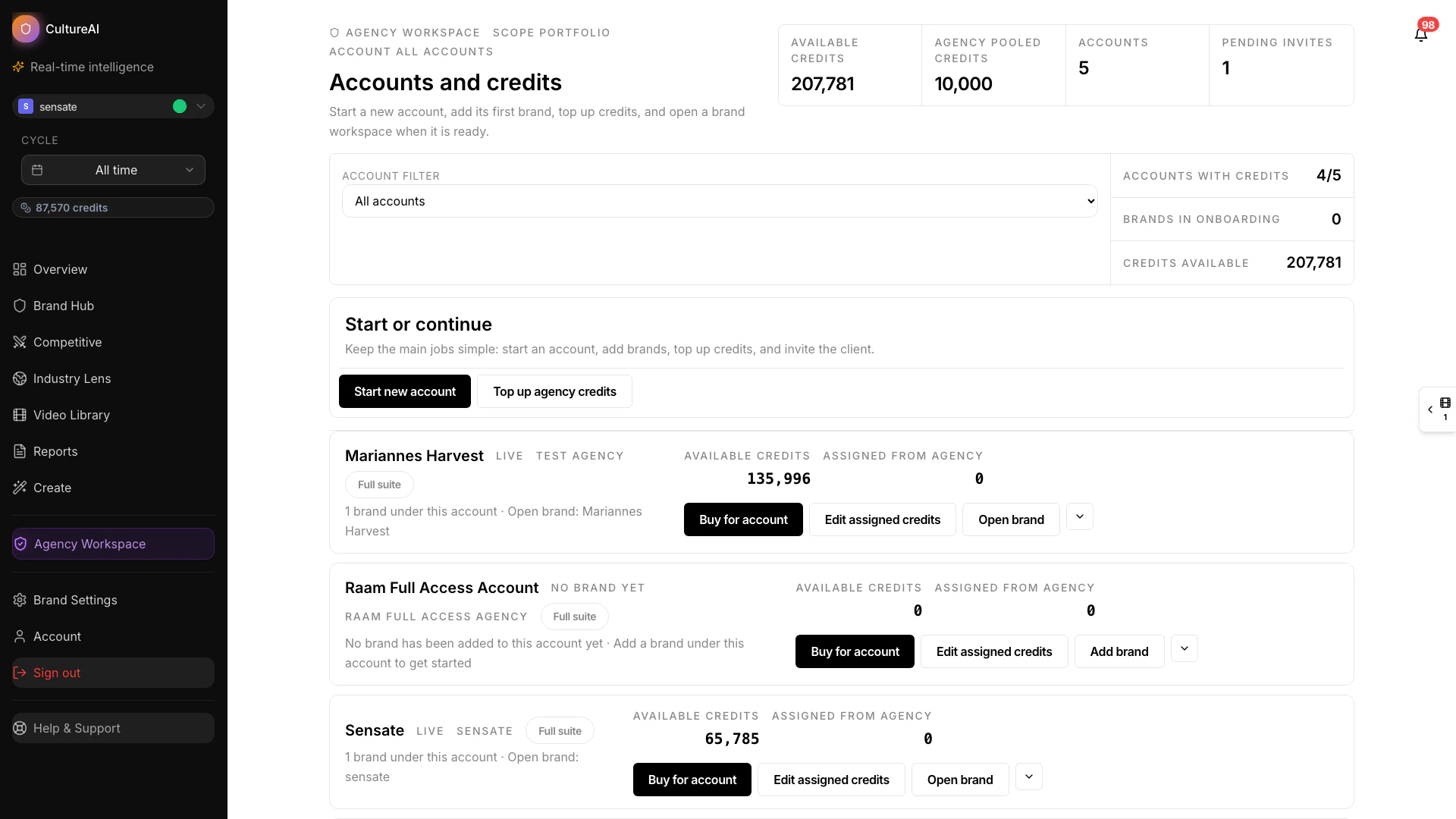 ## See the first steps
## Your first goal
The first thing to aim for is not "learn every feature." It is to understand:
* what your brand looks like in the platform
* what questions you want answered
* which workflow is most relevant for your role right now
## A simple first-week workflow
### 1. Get oriented
Start with:
* [Introduction](/docs/introduction)
* [Quick start](/docs/quick-start)
* [Product overview](/docs/product-overview)
### 2. Review the main insight surfaces
Spend a little time in the views most teams use first:
* [Overview dashboard](/docs/features/overview/dashboard)
* [Brand Hub](/docs/features/brand-hub/overview)
* [Copilot](/docs/guides/copilot-user-guide)
* [Competitor Hub](/docs/features/competitor-hub/overview)
* [Cultural Listening](/docs/features/cultural-listening/overview)
### 3. Understand how findings are packaged
Use these pages to understand the output you are seeing:
* [How reports work](/docs/architecture/brand-reports)
* [Competitive reports](/docs/features/reports/competitive-reports)
* [Industry reports](/docs/features/reports/industry-reports)
### 4. Turn insight into action
When you are ready to apply what you are learning, continue with:
* [Content Studio](/docs/features/content-studio/overview)
* [Opportunities](/docs/features/opportunities/overview)
* [Data & methodology](/docs/data-methodology-overview)
## Good questions to ask early
Start with the questions that are most relevant to your role.
**If you're a CMO or head of marketing:**
* Which content patterns are consistently driving results for our brand?
* Where are competitors outperforming us, and why does that matter?
* What should we prioritise in our next planning cycle?
* How do we explain our content strategy performance to leadership?
**If you're a social media or content lead:**
* What formats and narratives are working best right now?
* Which creators are worth partnering with for our next campaign?
* What should we brief our team on next?
* Where are we missing opportunities our competitors are using?
**If you're an agency:**
* How does this client's brand compare to their key competitors?
* What category trends should inform the strategy we're presenting?
* Which findings are most useful for a client narrative or campaign brief?
## Best way to learn
Use the docs as a companion to what you are seeing in the product. The fastest route to value is usually:
1. Review the page that matches your immediate need.
2. Explore the related feature inside the platform.
3. Follow up with a report or Copilot question.
That rhythm makes it easier to connect documentation to real decisions instead of reading everything at once.
## See the first steps
## Your first goal
The first thing to aim for is not "learn every feature." It is to understand:
* what your brand looks like in the platform
* what questions you want answered
* which workflow is most relevant for your role right now
## A simple first-week workflow
### 1. Get oriented
Start with:
* [Introduction](/docs/introduction)
* [Quick start](/docs/quick-start)
* [Product overview](/docs/product-overview)
### 2. Review the main insight surfaces
Spend a little time in the views most teams use first:
* [Overview dashboard](/docs/features/overview/dashboard)
* [Brand Hub](/docs/features/brand-hub/overview)
* [Copilot](/docs/guides/copilot-user-guide)
* [Competitor Hub](/docs/features/competitor-hub/overview)
* [Cultural Listening](/docs/features/cultural-listening/overview)
### 3. Understand how findings are packaged
Use these pages to understand the output you are seeing:
* [How reports work](/docs/architecture/brand-reports)
* [Competitive reports](/docs/features/reports/competitive-reports)
* [Industry reports](/docs/features/reports/industry-reports)
### 4. Turn insight into action
When you are ready to apply what you are learning, continue with:
* [Content Studio](/docs/features/content-studio/overview)
* [Opportunities](/docs/features/opportunities/overview)
* [Data & methodology](/docs/data-methodology-overview)
## Good questions to ask early
Start with the questions that are most relevant to your role.
**If you're a CMO or head of marketing:**
* Which content patterns are consistently driving results for our brand?
* Where are competitors outperforming us, and why does that matter?
* What should we prioritise in our next planning cycle?
* How do we explain our content strategy performance to leadership?
**If you're a social media or content lead:**
* What formats and narratives are working best right now?
* Which creators are worth partnering with for our next campaign?
* What should we brief our team on next?
* Where are we missing opportunities our competitors are using?
**If you're an agency:**
* How does this client's brand compare to their key competitors?
* What category trends should inform the strategy we're presenting?
* Which findings are most useful for a client narrative or campaign brief?
## Best way to learn
Use the docs as a companion to what you are seeing in the product. The fastest route to value is usually:
1. Review the page that matches your immediate need.
2. Explore the related feature inside the platform.
3. Follow up with a report or Copilot question.
That rhythm makes it easier to connect documentation to real decisions instead of reading everything at once.